

Point Stripe at your capture URL
1
Copy your capture URL
It is on Arrivals and in the header of every project page:
https://in.webhooktrap.dev/c/ followed by a 12-character key.2
Add a webhook destination in Stripe
In test mode, open Developers › Webhooks › Add destination. Paste the URL, pick the events you handle, and save.
3
Trigger events
Trigger a test checkout, or any action that sends the events you picked. Stripe sends straight to the capture URL; no CLI is needed.
Stripe-Signature header, reads the event type and id from the body (type, id), and groups events by the object they are about: subscription, invoice, payment intent, checkout session and others.
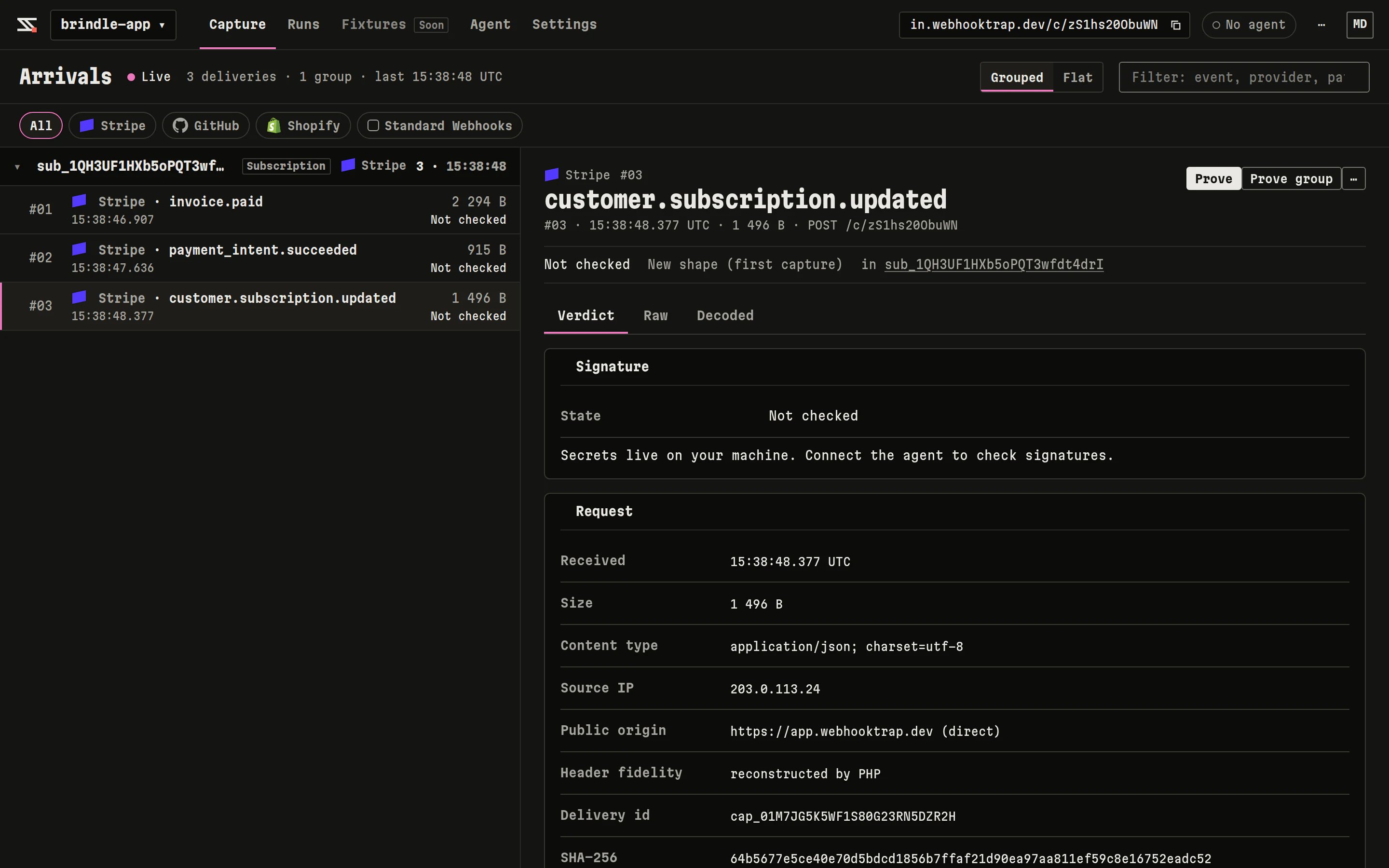
Stripe deliveries grouped by subscription.
Configure the agent
webhooktrap.yml
secret, the agent looks for STRIPE_WEBHOOK_SECRET, the name in the Stripe pack.
Your signing secret stays on your machine.
webhooktrap.yml holds only the name of the environment variable (secret: env:NAME). The agent reads the value when it signs a delivery, strips every known secret variable from the environment of probe and reset commands, and refuses to write or upload a run document that contains the secret. The server learns the variable’s name, never its value.needs_secret.
What the scenarios do for Stripe
The 10 s budget is the Webhook Trap default, not a limit taken from Stripe’s docs, so you can lower or raise it with
budget: in webhooktrap.yml.
Common findings
- Accepts tampered payload (Critical): the handler returned 2xx, or changed state, for a body Stripe never signed. Verify with
stripe.webhooks.constructEventon the raw body and return 400 when it throws, before any write. - Duplicate delivery changed
<probe>again (High): Twice or Retry after error wrote twice. Recordevent.idbefore the write and return 200 when it is already recorded. - Accepts a stale signature (High): Late was accepted. Use the SDK’s timestamp tolerance.